Card Image
- Updated:
Displays a visual representation of a credit or debit card with customizable styling and card details. Supports horizontal and vertical orientations with responsive sizing that adapts content visibility based on container width.
Properties
backgroundBackground style for the base layer.
'primary'|'secondary'|'tertiary': Solid theme colors'gradient': Grayscale gradient (themable via CSS variables)- Custom string: URL/path to an image file (SVG, PNG, JPG)
cardHoldercard-holderThe card holder name to display on the card. Only rendered at large and medium sizes. When not provided, neither the label nor the name is displayed.
cardHolderLabelcard-holder-labelControls whether the "CARD HOLDER" label is displayed above the card holder name.
The label is only supported at large size. At medium size, only the name is shown
regardless of this prop. When false, only the name is shown without the label.
cardNumbercard-numberThe card number to display. Only the last 4 characters are used, prefixed with **** **** **** .
The last 4 characters must all be digits; otherwise the card number is not displayed.
Not rendered at tiny size.
cardStatuscard-statusThe status of the card. When set, renders a status banner at the top of the card for card sizes medium and up.
cardTypecard-typeThe card type label displayed alongside the expiration date. Not rendered at tiny size.
cardTypeColorcard-type-colorThe color of the card type text. Only applies when cardType is set.
chipThe chip style displayed on the card. Not rendered at tiny size.
'gold': Gold/brass colored EMV chip'silver': Silver/platinum colored EMV chip
clickableIf true, the card image is wrapped in a q2-btn to handle click interactions.
disabledIf true, the card image is visually disabled and not clickable. Does not affect the dropdown.
expirationDateexpiration-dateThe expiration date of the card in ISO 8601 extended format (YYYY-MM).
Displayed as MM / YY on the card. Only rendered at large and medium sizes.
When not provided, neither the label nor the date value is displayed.
expirationDateLabelexpiration-date-labelControls whether the "EXPIRES" label is displayed above the expiration date.
The label is only supported at large size. At medium size, only the date value is shown
regardless of this prop. When false, only the date value is shown without the label.
fiLogofi-logoPath to the financial institution logo image (SVG, PNG, or JPG). Max display dimensions: 280x45 for horizontal cards, 250x45 for vertical cards. When not provided, an empty placeholder div is rendered to maintain consistent card structure.
inlineIf true, the component uses display: inline-block. If false, uses display: block.
orientationThe orientation of the card image.
overlayBackground style for the overlay layer. When undefined, the overlay is not rendered.
'dot': CSS-generated dot pattern with mix-blend-mode overlay (themable via CSS variables)- Custom string: URL/path to an image file (SVG, PNG, JPG)
statusTextOverridestatus-text-overrideOverrides the default status banner text (which is the cardStatus value in uppercase). Maximum 14 characters (including spaces) to ensure the text fits within the banner.
tctAriaLabeltct-aria-labelAccessible label for the card image. When provided, this value is applied as aria-label
on either the card container (non-clickable) or the wrapping button (clickable).
vendorThe card vendor. Renders the vendor logo in the bottom-right of the card. Not rendered at tiny size.
vendorColorvendor-colorThe color variant of the vendor logo. Only applies when vendor is set.
Defaults to 'white' for Visa and 'brand' for Mastercard.
vendorLogovendor-logoPath to a custom vendor logo image (SVG, PNG, or JPG).
When set, this overrides the vendor prop and displays the custom logo.
Not rendered at tiny size.
Events
The q2-card-image element exposes events that can be used to send and receive data from the component based on user interaction.
tctClick
Emitted when a clickable card is clicked. Contains card details.
Event Detail Type signature
{ cardNumber: string; cardStatus: string; statusTextOverride: string; cardHolder: string; expirationDate: string; cardType: string; vendor: string; }Slots
The q2-card-image element has one slot that can be used to insert custom content into the component.
An optional slot for interactive elements. Supported elements:
- Dropdown — Renders in the top-right corner. Only visible at large and medium sizes.
Development
General overview
Card Image provides a flexible, themeable representation of physical and digital payment cards. It supports multiple sizes and orientations to fit various UI contexts — from compact list items to detailed card management views.
The component displays essential card information including masked card numbers, cardholder names, expiration dates, and card type labels. Visual customization options include predefined or custom backgrounds, optional overlay patterns, EMV chip styles, and vendor logos for Visa and Mastercard.
For interactive use cases, cards can be made clickable and/or paired with a dropdown menu in the action slot for card management operations. Status banners communicate the card's current state (enabled, locked, lost, etc.) at larger sizes.
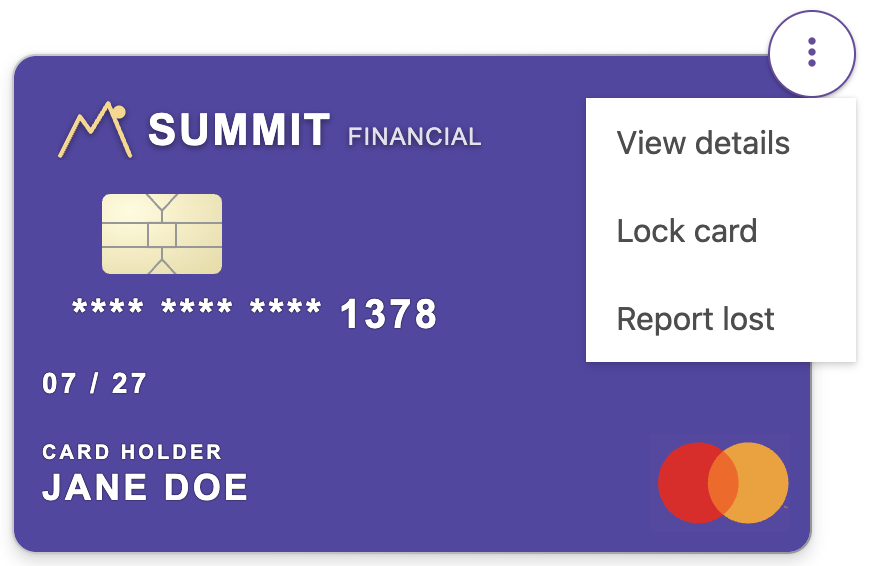
Adding a dropdown
The action slot can be used to integrate card management workflows. When a dropdown is placed in the action slot, it automatically receives circular styling and positions itself at the top-right corner of the card, creating an intuitive access point for card operations like locking, reporting lost/stolen, or viewing details. See the Slots section for implementation details.
Fine-tuning your card styles
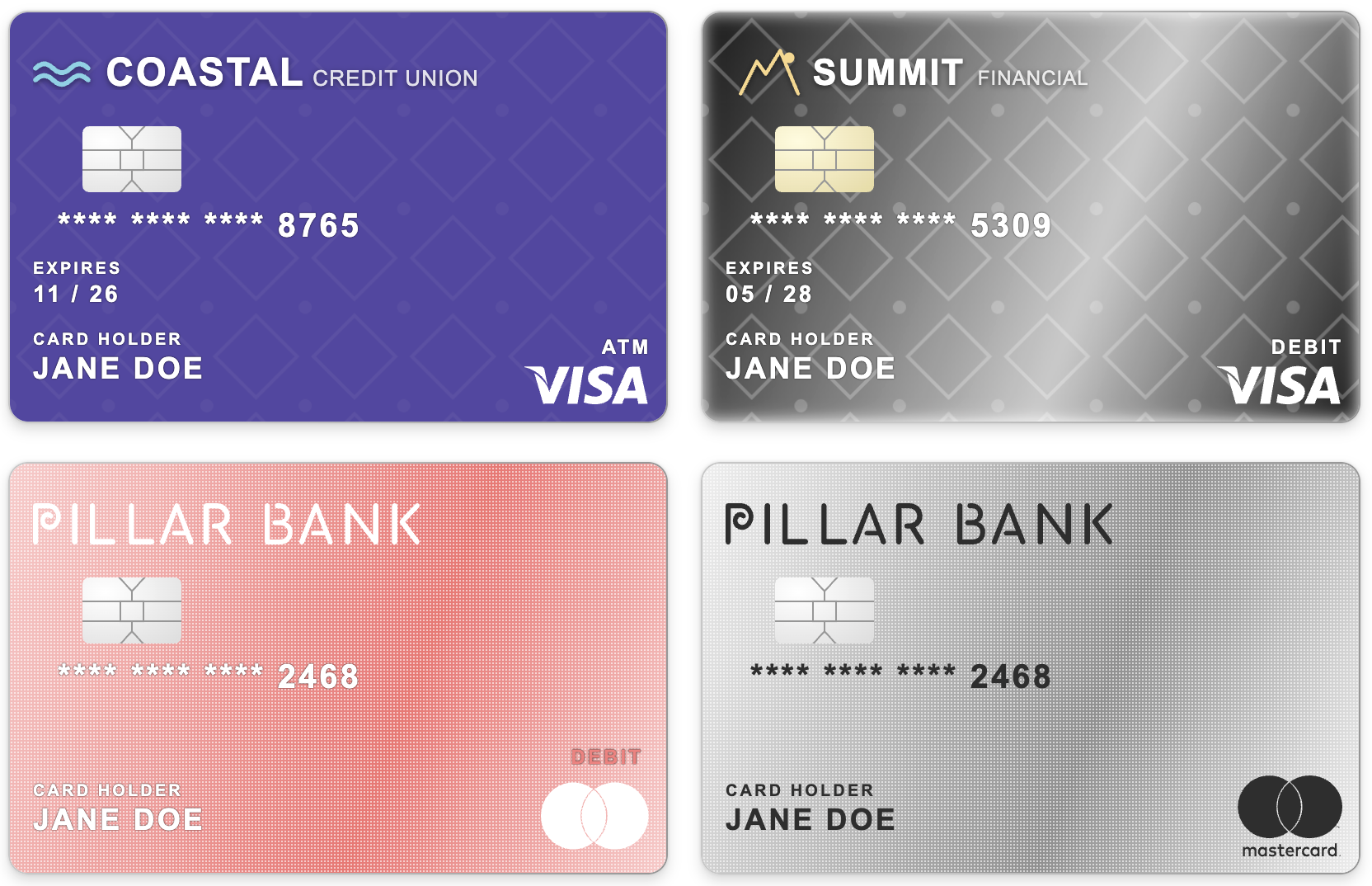
Be sure to check out the CSS Variables section where you can unlock all kinds of unique customizations for your card image! Here are just a few examples to illustrate the endless possibilities:
Accessibility
General overview
The tctAriaLabel prop serves as the accessible name for the card image. When the card is non-clickable, it is applied as the aria-label on the card's container element. When the card is clickable, it becomes the accessible label on the wrapping button element.
Decorative elements
Visual elements within the card, including the chip, vendor logo, and FI logo, are decorative and are not announced in the accessibility tree. If any of these details are important for users of assistive technologies, they should be included in the tctAriaLabel value (e.g., "Visa debit chip-enabled card ending in 4532").
Status banners
Status banners, when present, are included in the accessibility tree and will be announced by screen readers. They are not independently focusable but their text content remains accessible as part of the card's structure.
Accessibility Report
CSS Variables
The following CSS variables are available to override the default theme styles of the q2-card-image component.
Dependencies
Many Tecton components consume other components to maintain visual and functional consistency. If you are looking for a CSS variable you think should exist but are not seeing it, it may be defined in one of the dependent components below. Either way, if you think it's something we should expose more conveniently, let us know!
Dependencies
This component uses other components in the Tecton library, including:
q2-btn
Changelog
The changelog provides a detailed history of new features, improvements, and bug fixes going back to Tecton 1.30.0. If the button is disabled, it indicates there have been no detectable changes since then.